
Timeline
Role
Automotive
UX Research, Visual Design, Project Mangement, Usability Testing
Akshay Bhatnagar, Mian Irtiza Aftab, Shutong Yang & Qingpei Cai
Figma, Google Forms & Adobe Suite
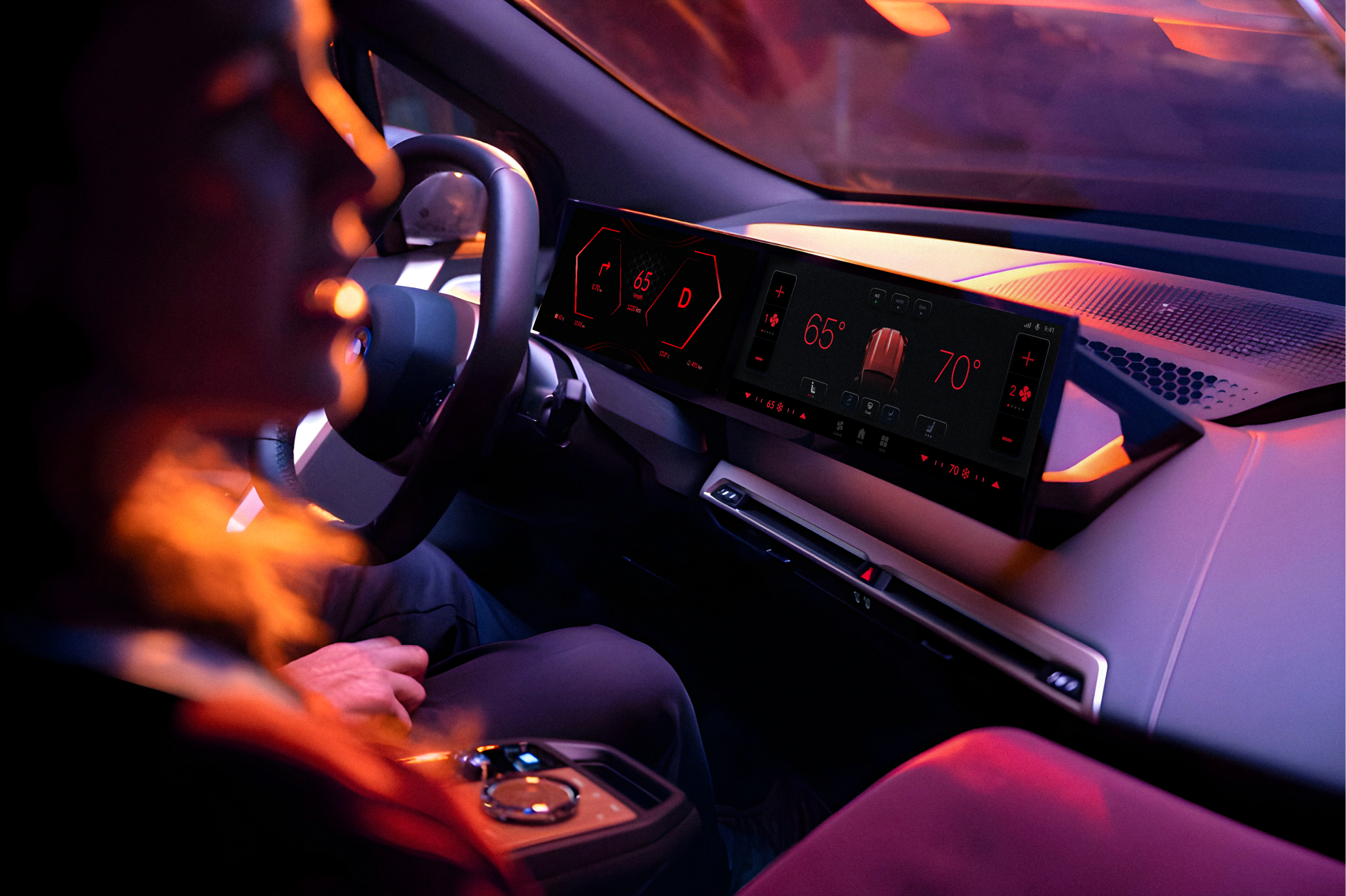
We redesigned a proof of concept for the BMW iDrive system by simplifying menus and adding smart features, for drivers who found the original design complex and distracting, so that they can navigate the system easily and drive safely.
All rights reserved © Akshay Bhatnagar


Problem Statement
Reported Problems
Our Goal
Outcome
Process
01 - Research
Identify how in-car interfaces and external factors contribute to driver distraction for BMW users.

Shadowed drivers at a BMW dealership, observing interactions with infotainment systems, voice commands, and ambient alerts during test drives. Our aim was to:
1. Understand customer queries during sales regarding infotainment systems
2. Explore how the infotainment systems affect car buying decisions
3. Assess the impact of infotainment system on sales
User Interviews
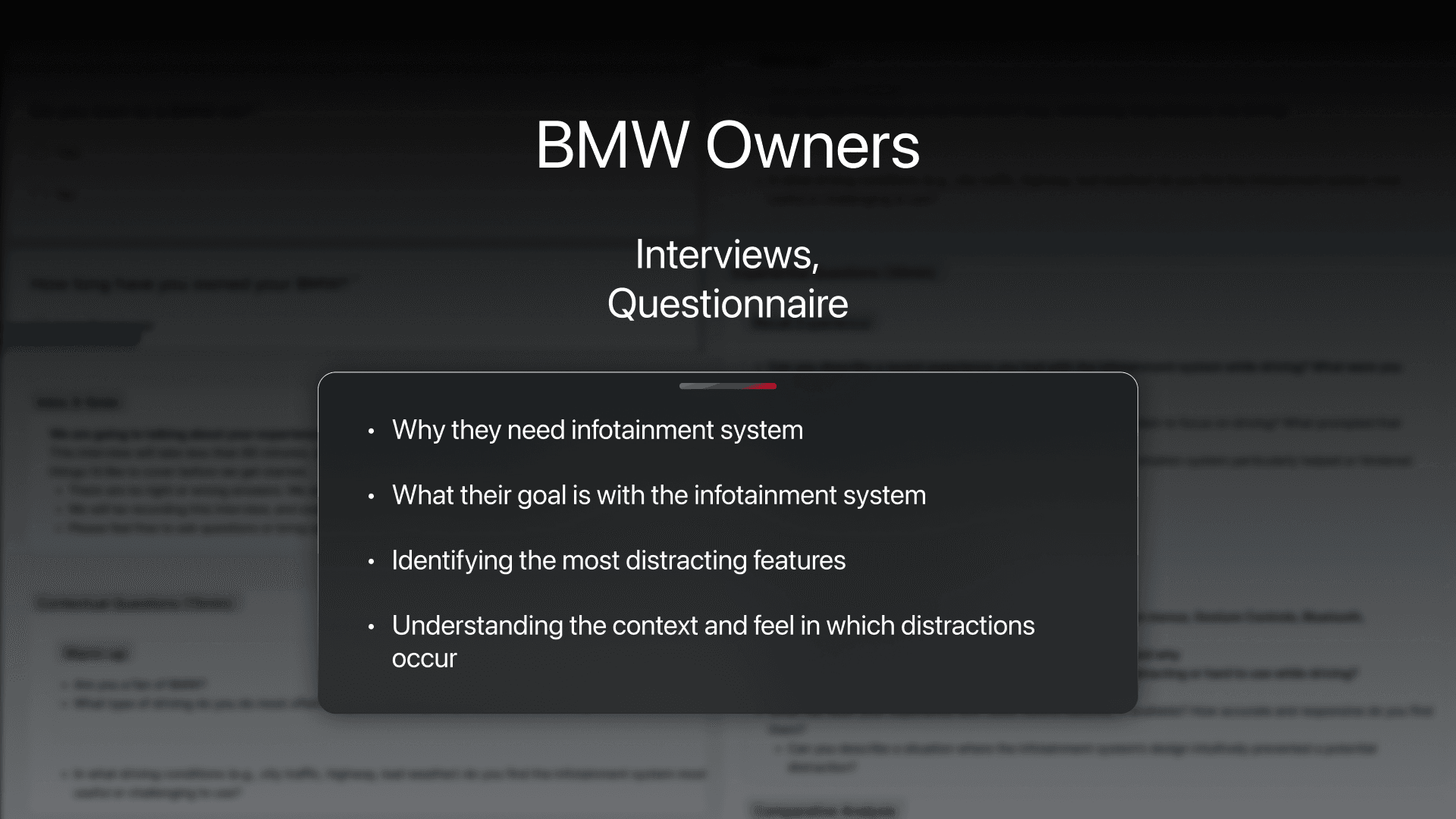
Recruited 14 BMW owners (via forums + snowball sampling) to discuss moments of mental overload, near-misses, and "stress triggers" during daily drives.


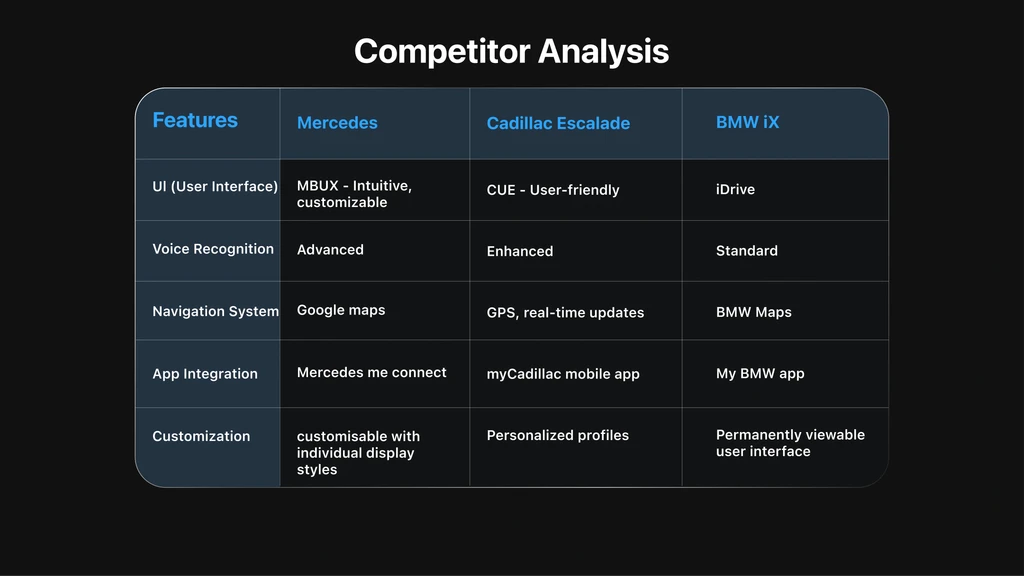
Key Insights
Ideation
Our objective was to transform our interview & contextual notes into actionable strategies for minimizing driver distraction.
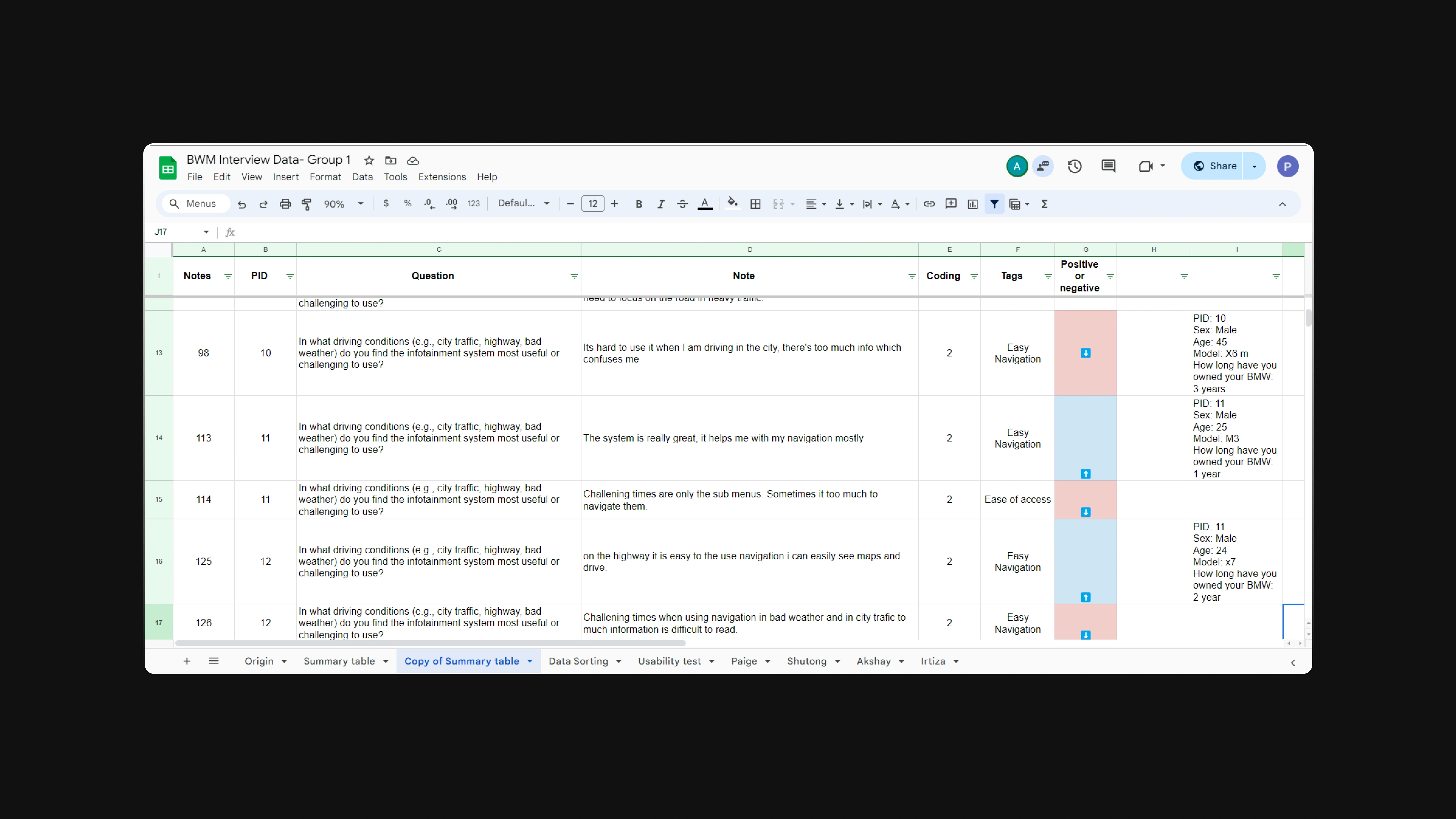
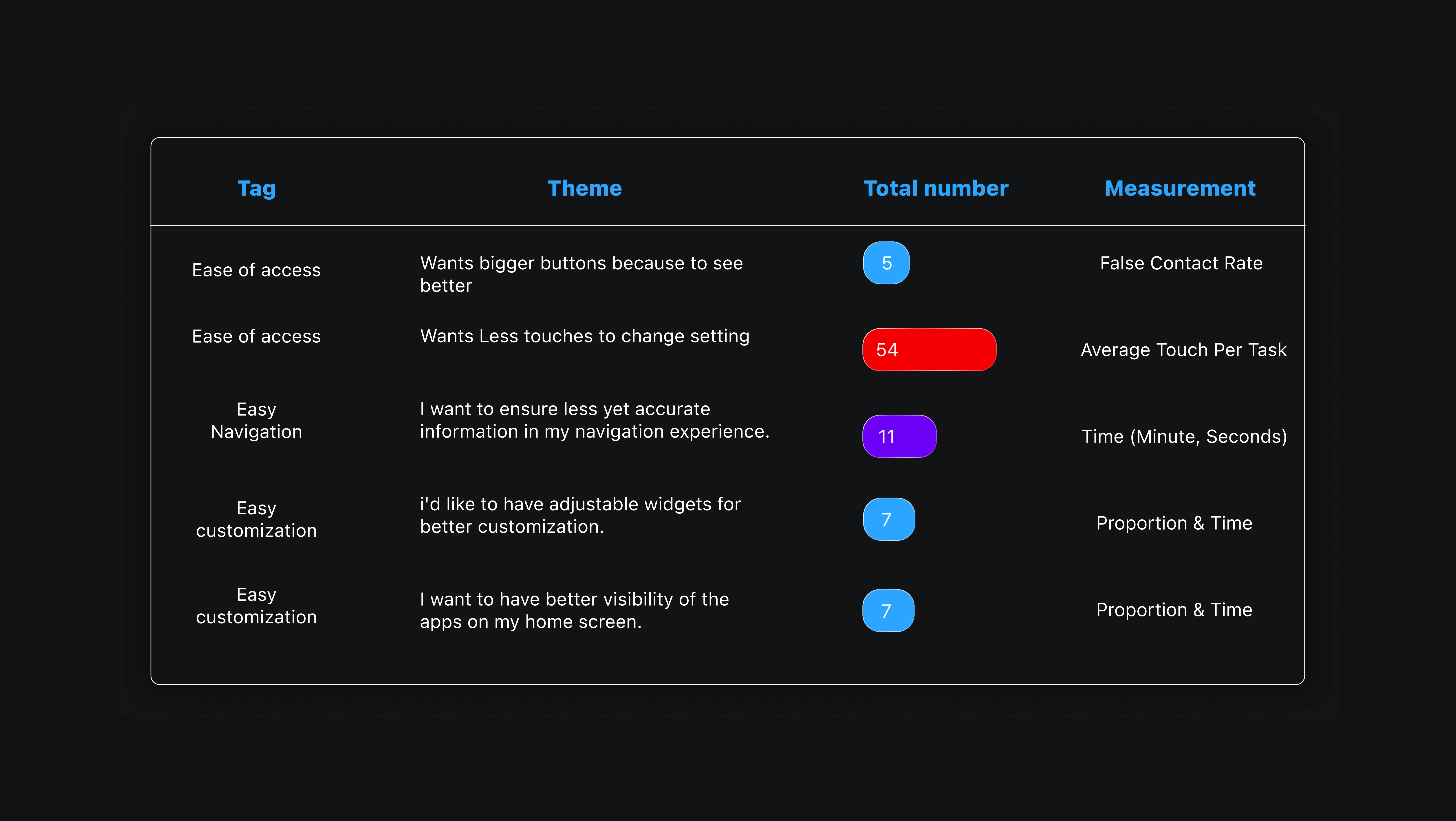
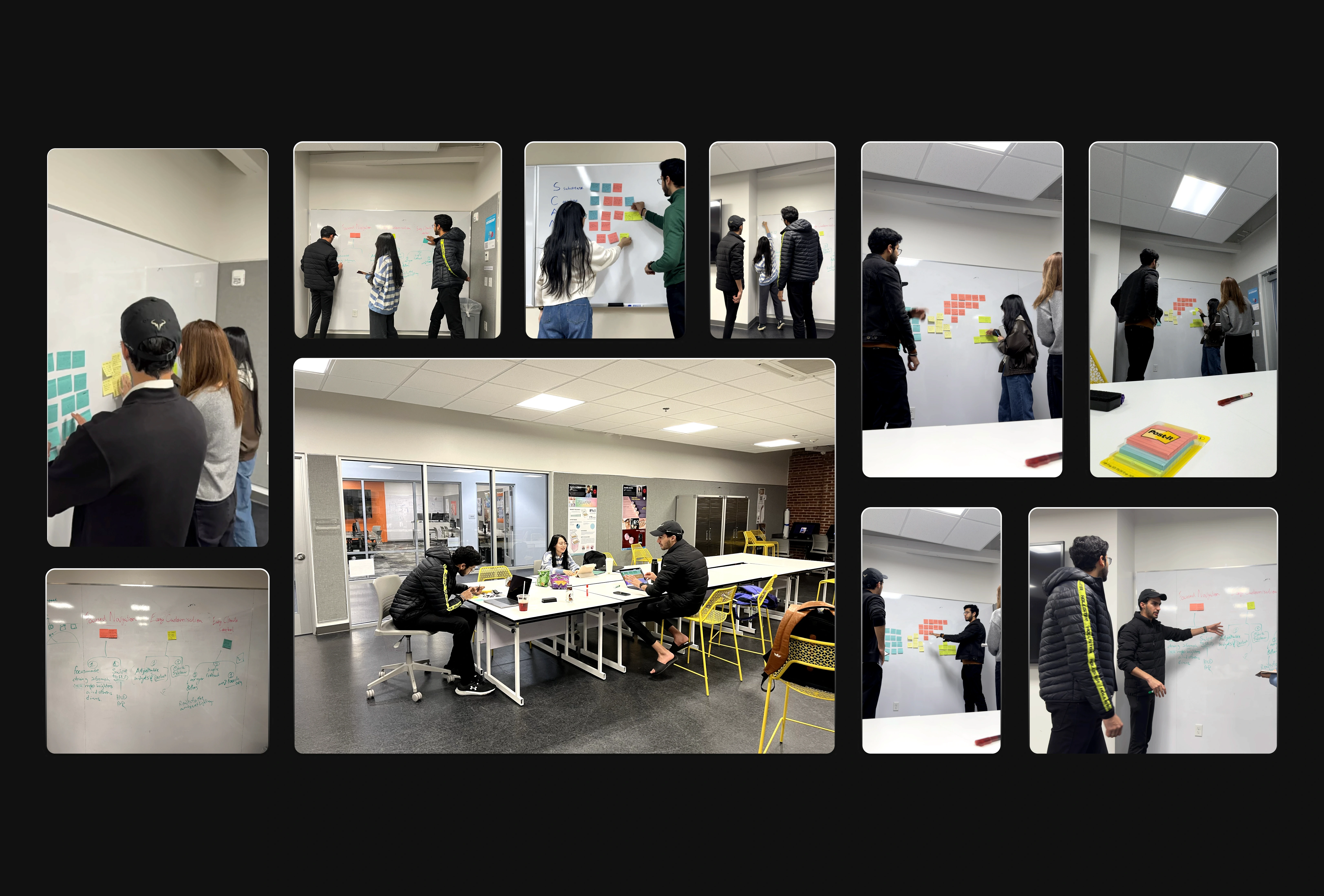
We used the method of affinity mapping, and grouped 150+ qualitative datapoints (quotes, behaviors) into themes like "Ease of access" and "Easy Navigation".
Concept Sketching
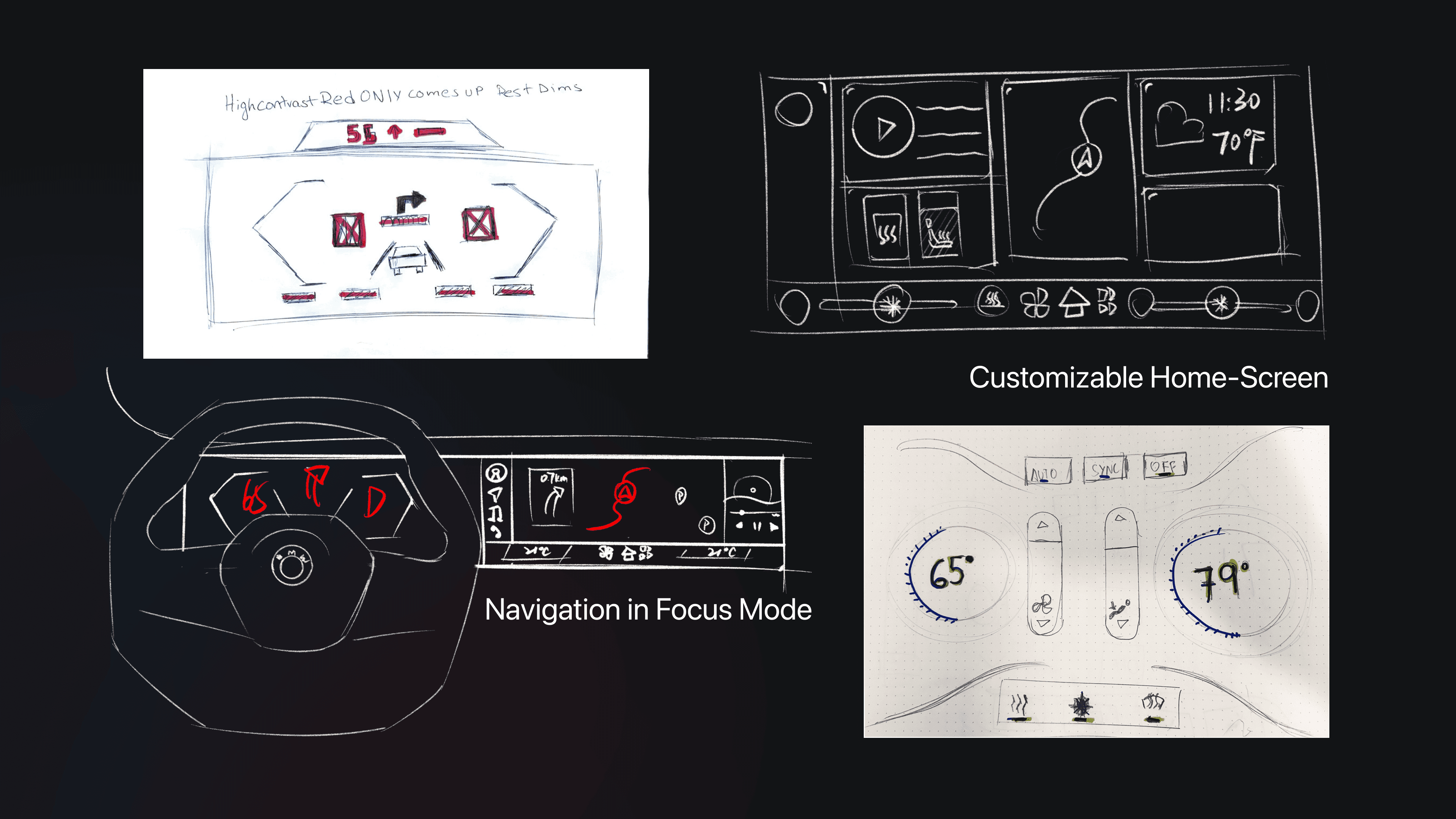
We began by sketching wireframes on both paper and digitally to quickly validate our ideas. We then tested the paper prototypes to ensure our concepts were genuinely beneficial.
This step was crucial before we developed and tested digital prototypes.
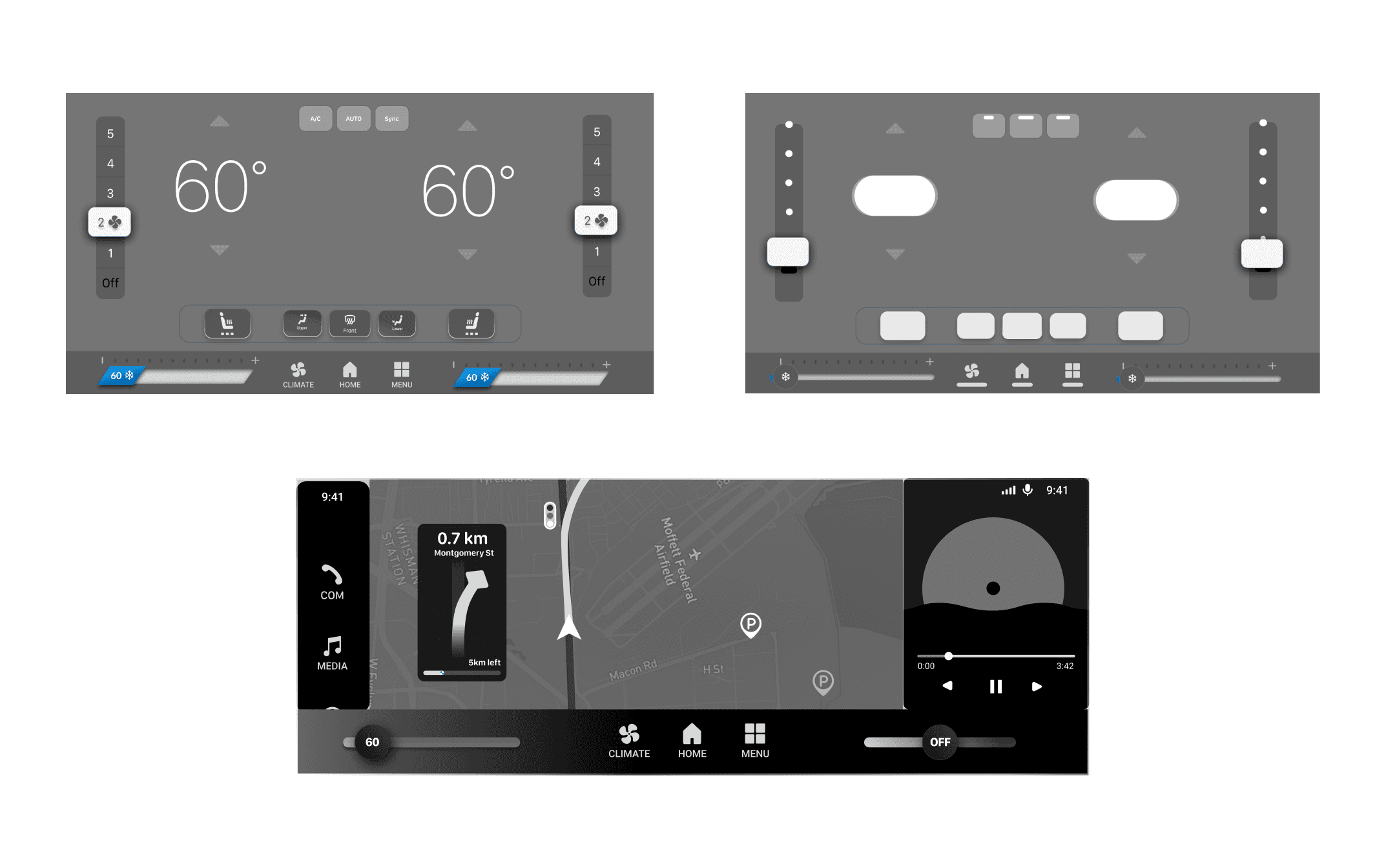
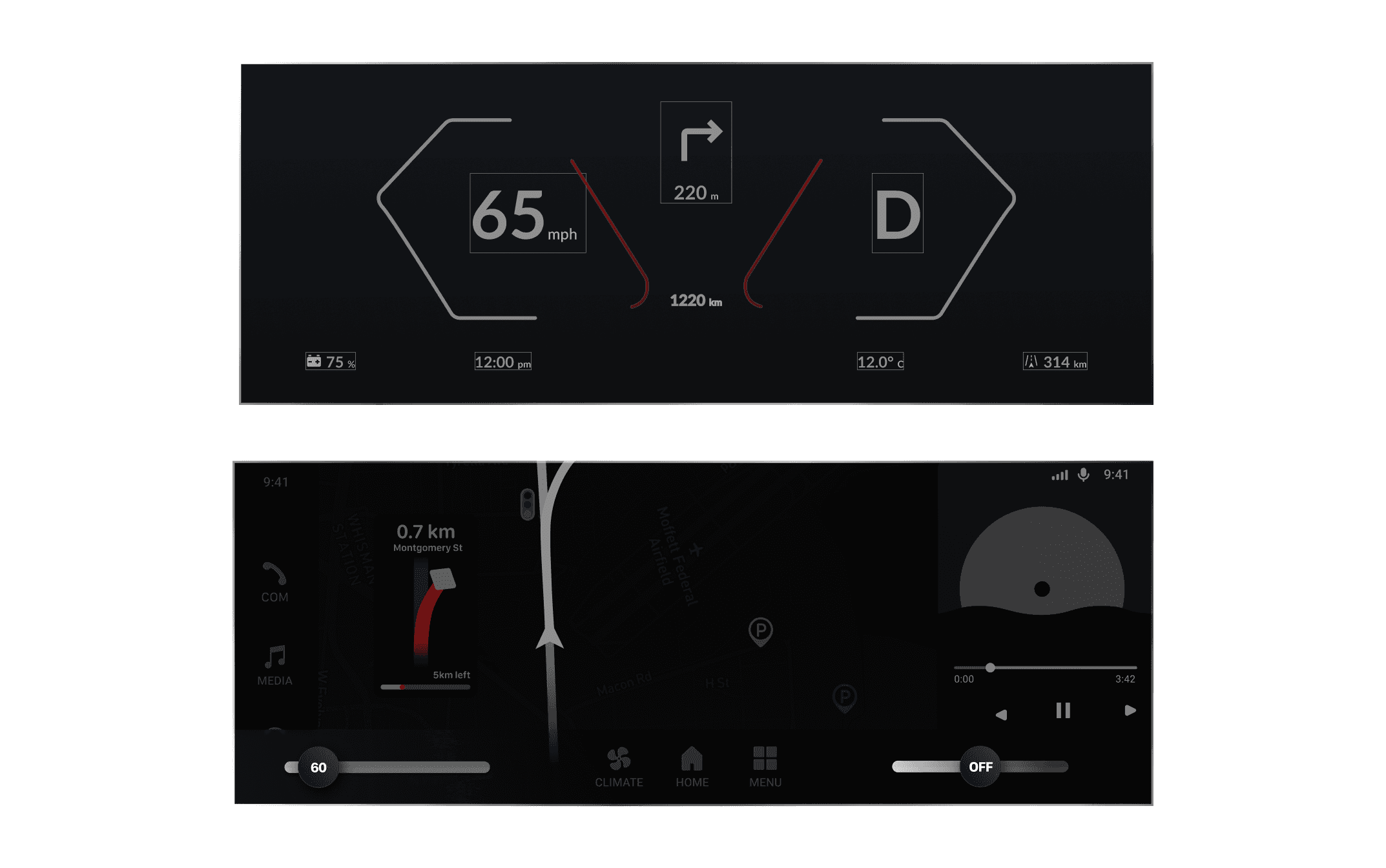

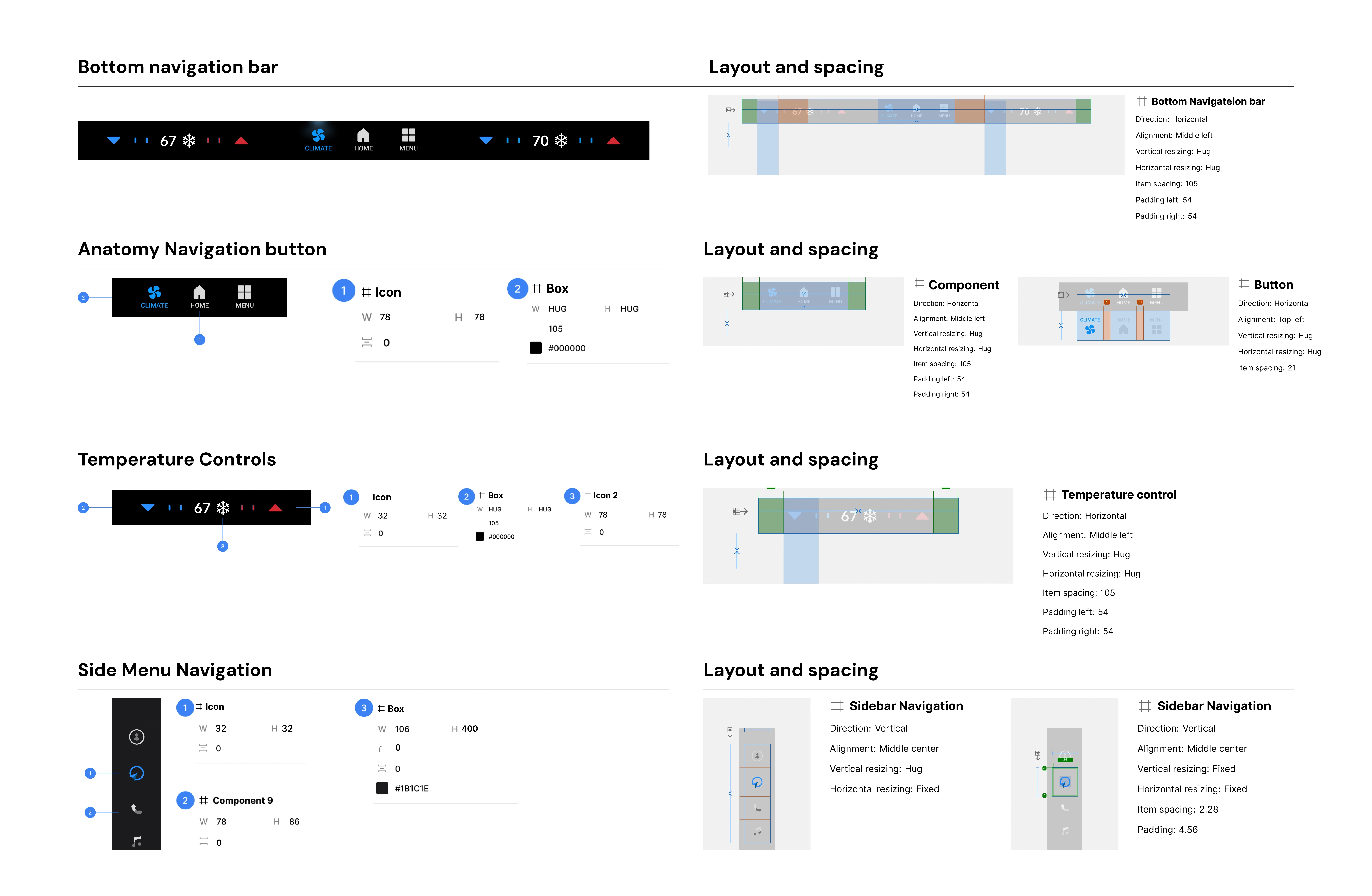
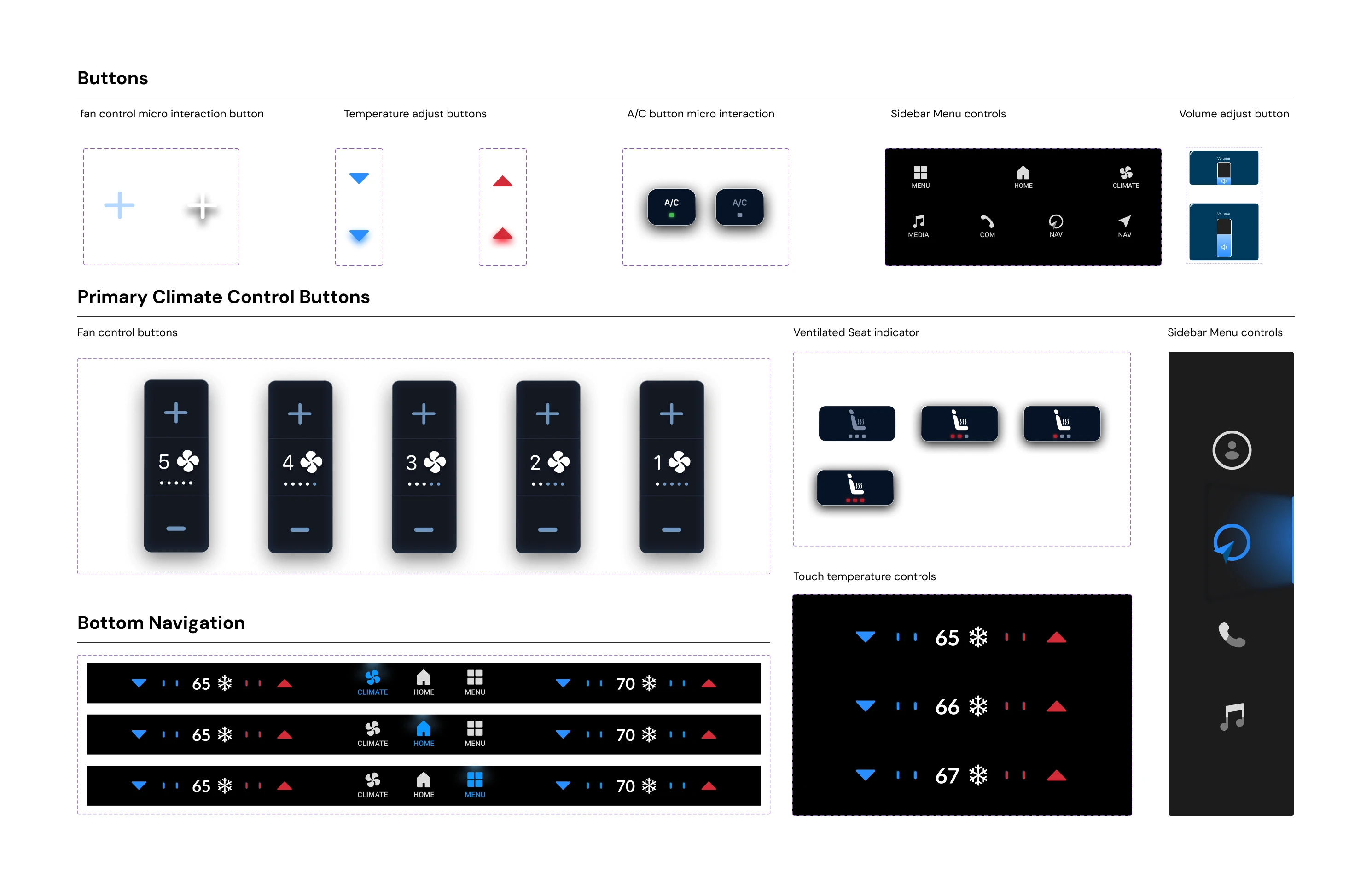
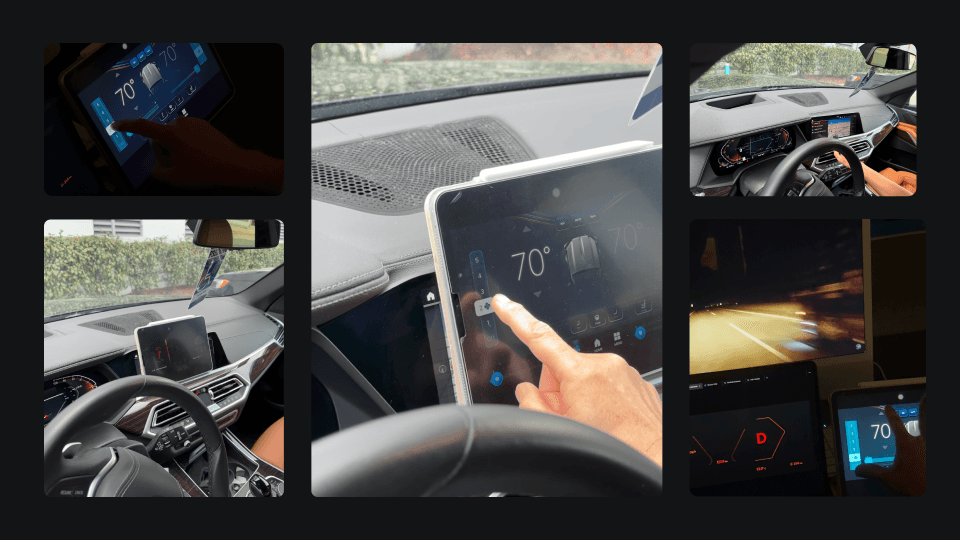
We conducted automotive UI usability tests (according to AAM Guidelines) in real-world conditions to see how people would actually interact with our designs. Even though our resources were limited, we found creative ways to simulate everyday driving experiences and collect feedback.
This hands-on approach helped us identify issues early on and improve the interface, making it more intuitive for users. By improvising with what we had, we were able to learn quickly and make our product better without needing expensive tools.
Pain Points
People found sliders difficult to use while driving, making adjustments challenging.
Temperature controls lacked clear color differentiation, as both hot and cold settings used similar shades.
Positive Feedback
Users liked how the UI dimmed at higher speeds, reducing distractions.
They appreciated the simplified cluster with larger buttons for easier interaction.
Many wished focus mode was already implemented, as it helps reduce cognitive load.
Users valued the ability to customize widgets for a more personalized experience.
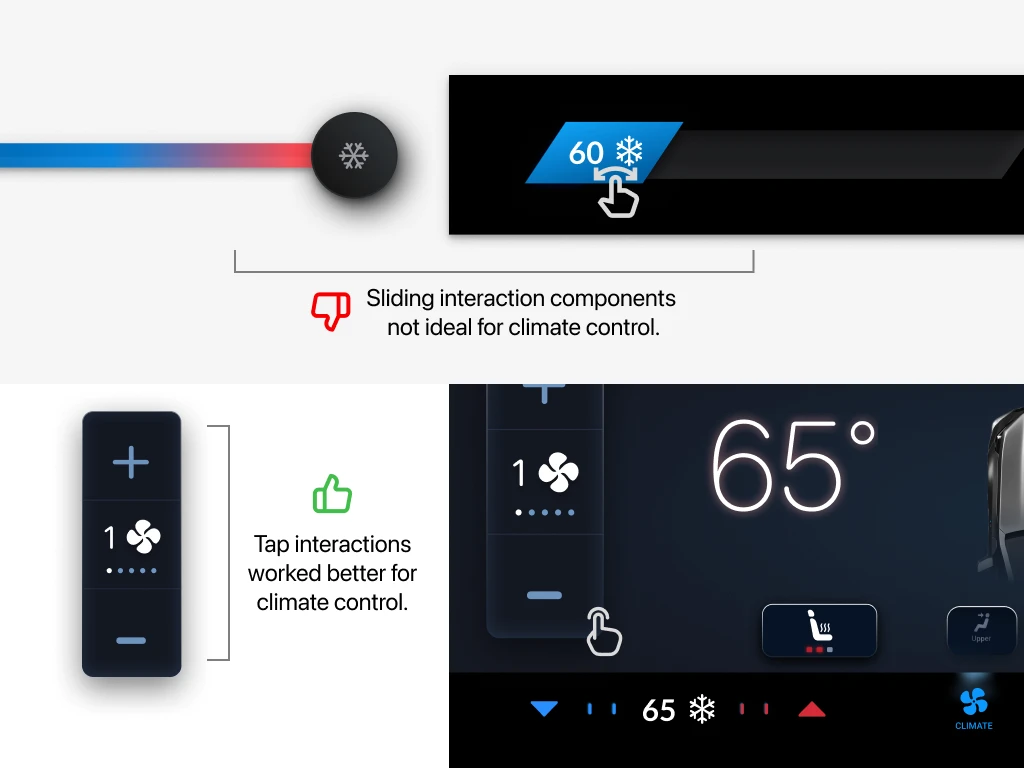
When we initially designed the system we used sliders for temperature adjustments, which made interaction with the system complex and imprecise.
We then replaced the slider with a tap-based control, allowing drivers to adjust the temperature with simple taps.
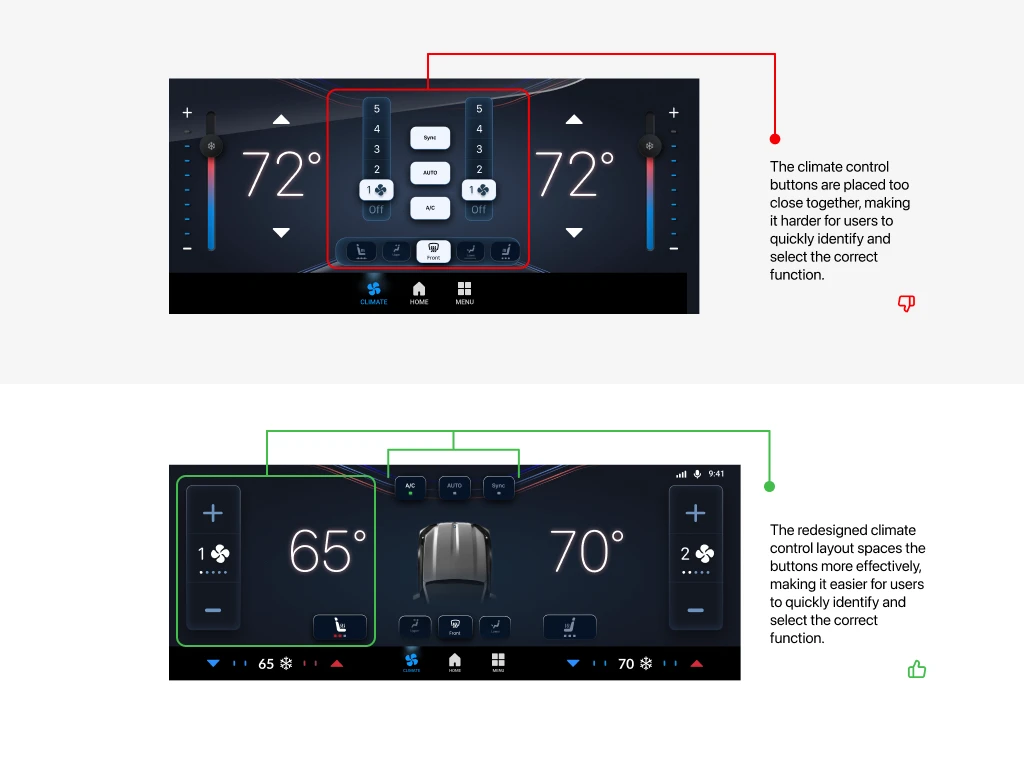
In the first designs we made buttons that were packed too close together, making it hard for drivers to quickly pick the right one.
We redesigned the layout after testing, spacing the buttons out so each one is clear and easy to tap.
Our Solution
We had a great time working on this project over the past four weeks. Despite limited resources, we're proud of what we delivered. Our team focused on creating user-centric features that truly address the needs of our users and solved their problems.
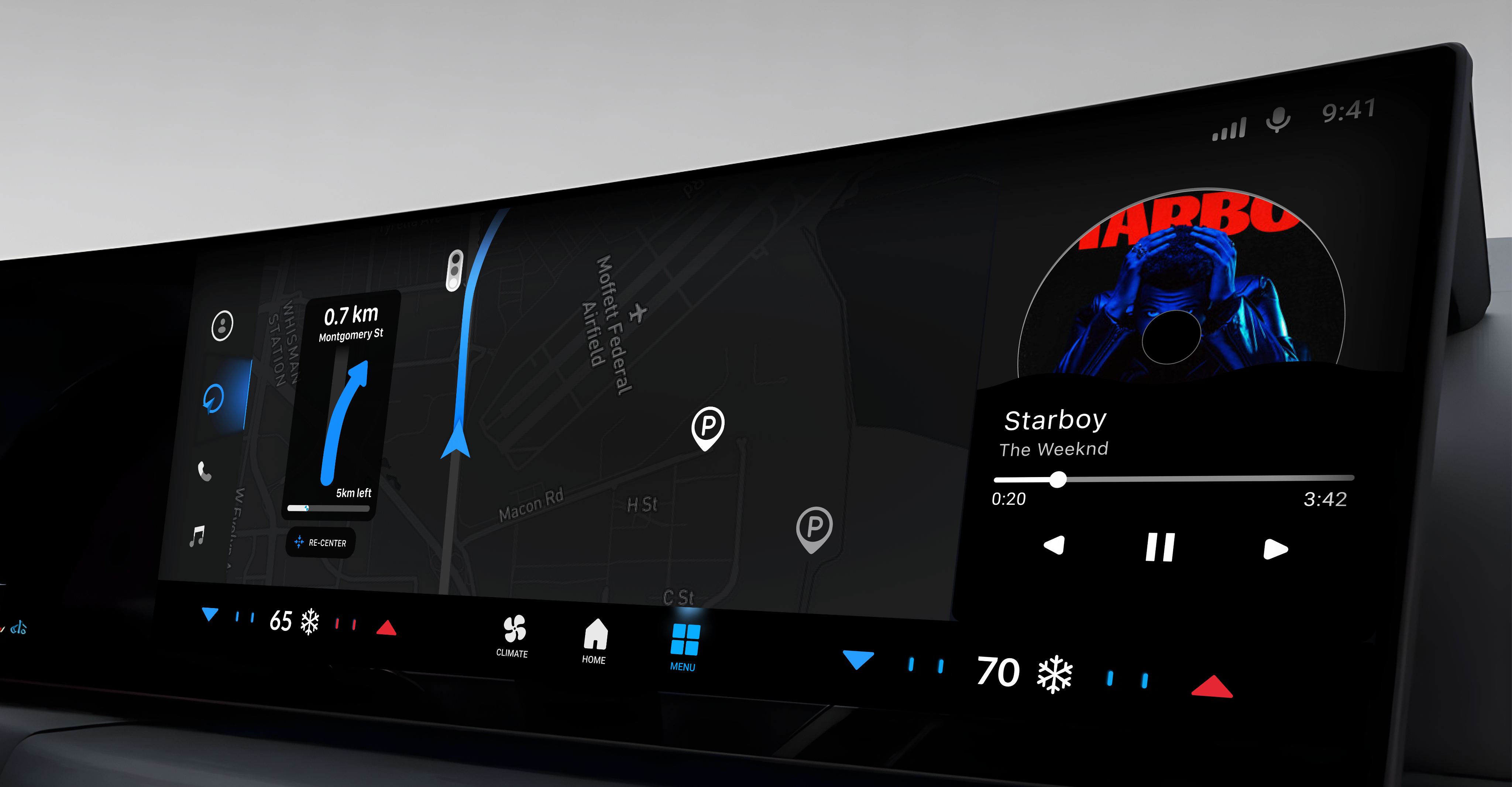
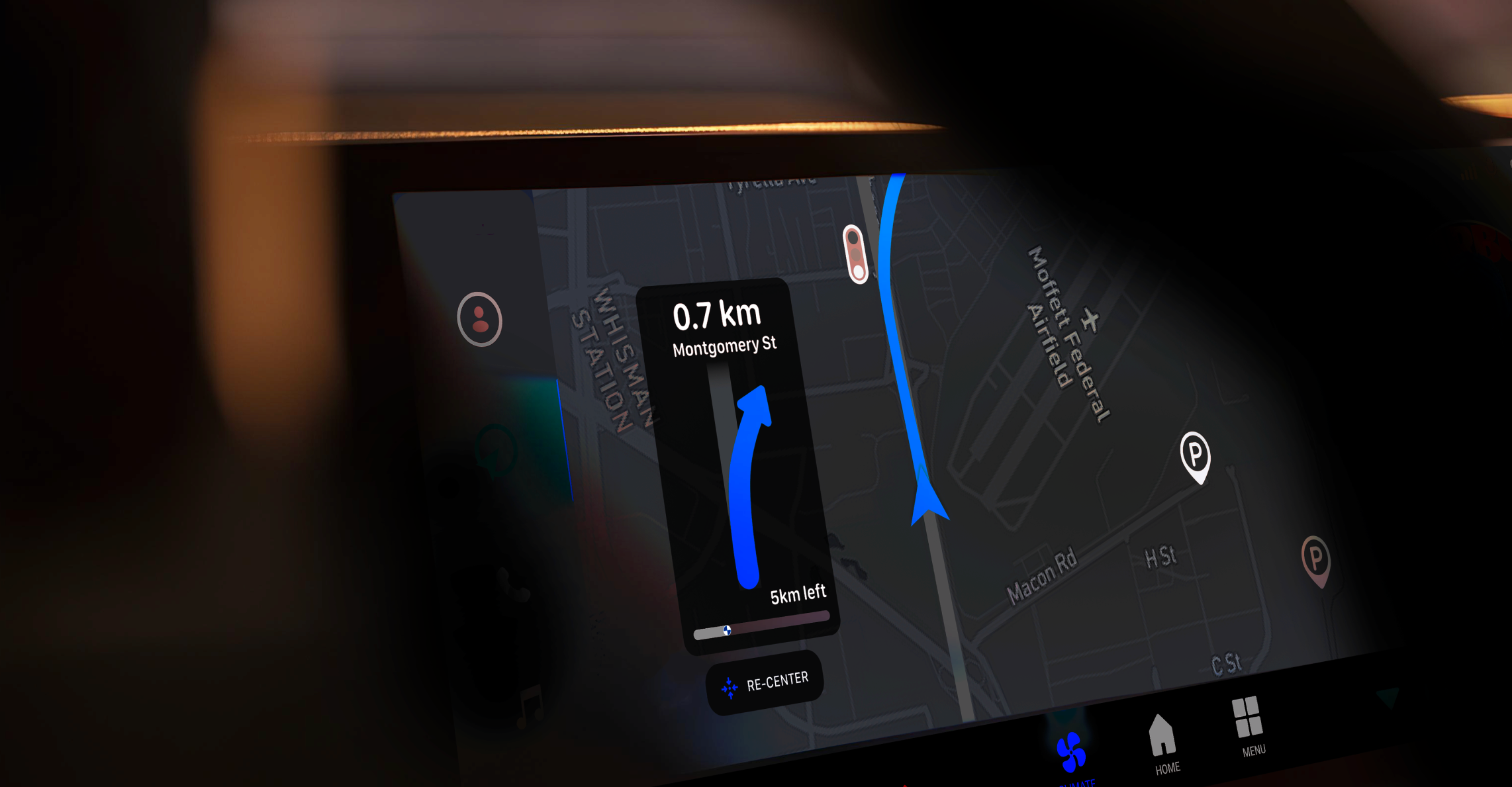
We divided our solution into three interconnected features, each tackling a specific problem. Since the system is quite complex, we prioritized high-impact changes that could be implemented with minimal resources. Here's what our solution looks like:
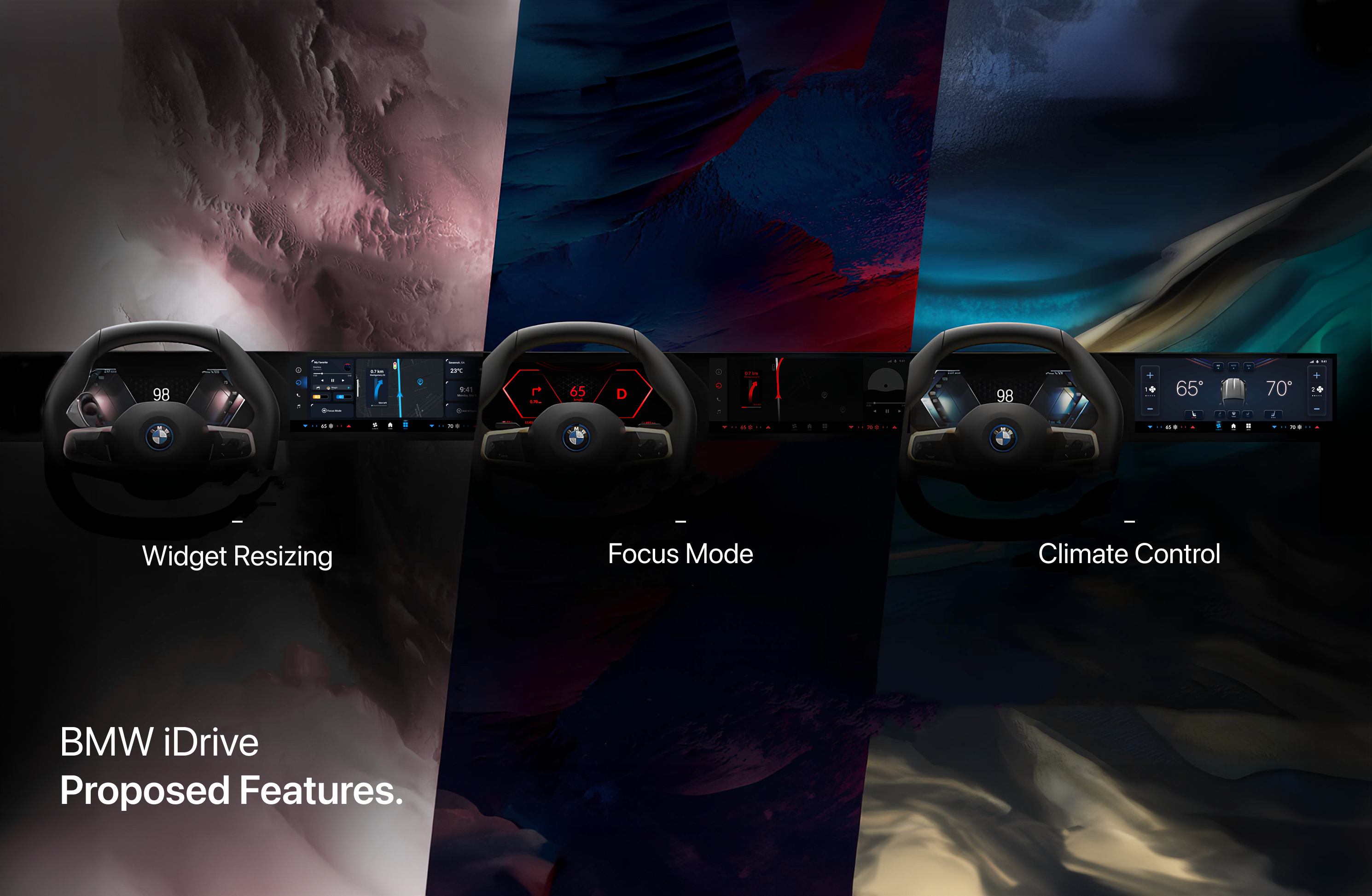
When your BMW exceeds 50 km/h, the infotainment system and speedometer dims to a red hue. This change reduces unnecessary visuals and graphics, which helps to lower distractions and enhance focus at higher speeds. The red tint was chosen (after usability testing) for its effectiveness in reducing visual clutter, and you can easily customize this feature in the settings to suit your preferences.
This is our take on redesigning the climate control. In the original design, multiple submenus led to a high task failure rate while driving. We simplified the layout so that key controls are prominent and easily accessible on the main screen.
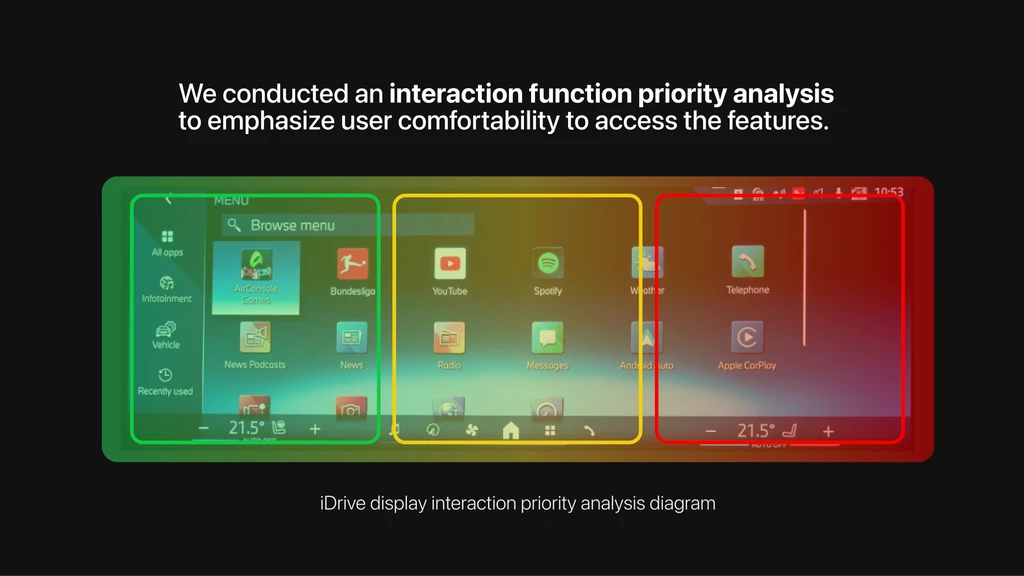
By using interaction function priority analysis, we strategically placed each button for intuitive use, helping drivers remember and navigate the system with ease.
We've made your BMW iDrive more personal with our new widget resizing feature. Now you can enlarge the widgets you use most and shrink the ones you rarely need, ensuring the key information stands out.
Additionally, you can save your custom layouts as presets, making it easy to switch between different configurations based on your driving situation or personal use case.


Impact
Average task completion time (while driving):
14 Seconds
Benchmark: <38 Seconds
Climate Control
Improvisation Matters: We realized we could gather valuable insights even with limited resources. By being creative and flexible, we managed to test our ideas without relying on expensive tools or setups.
Testing Early and Often: Frequent testing helped us identify issues before they became bigger problems. It also allowed us to refine our ideas step by step.
Reduce Cognitive Load: Simplifying the design and minimizing distractions made the product more intuitive. This helped users focus on the core tasks without feeling overwhelmed.